A phone setup people understand
Your main line, office hours, menus, voicemail, and extensions are mapped in plain English before anything goes live.
CloudTalk Live gives small offices and community organizations modern phone service, a clear online dashboard, guided switching, and direct help from Mark Herod — the person building the platform.
A modern dashboard matters, but so does having someone who understands your setup. CloudTalk combines both.
Your main line, office hours, menus, voicemail, and extensions are mapped in plain English before anything goes live.
When staff, hours, ministries, departments, or phones change, your team can update the workspace without starting from scratch.
You are not passed around a telecom queue. CloudTalk is built around relationships, response, and knowing the organization behind the number.
This is the simple path from first conversation to a phone setup your staff can keep using.
Book a demo and explain how calls work today, what is frustrating, and what has to stay familiar. Mark will also explain what happens on the first call so there are no surprises.
You get a practical conversation before any technical setup.
Bring what you have: current provider information, a recent phone bill, numbers to keep, office hours, device needs, and the authorized contact for any porting request.
You do not need to know telecom language; Mark helps translate the details.
Together we outline the main line, direct extensions, voicemail, menus, desk phones, softphones, and after-hours handling before switching.
The goal is to make the real caller experience clear before any number moves.
CloudTalk prepares the dashboard, call paths, users, phone needs, and porting or new-number steps at a high level that staff can understand.
Number porting is usually about 24 hours once the right information is ready.
Before activation, you review and approve how calls will route, what voicemail does, which phones are involved, and what happens on go-live day.
Go-live is guided so your team is not left guessing.
After go-live, adjust hours, people, voicemail, routing, and supported phones as your organization changes.
CloudTalk stays useful after launch, not just during onboarding.

CloudTalk feels different because customers can talk to the founder and builder. Mark started this work by helping a church save money, and the same practical, relationship-driven approach still shapes the service today. This is not a faceless telecom; it is a local platform built around long-term customers.
I built CloudTalk because too many good organizations were paying for phone service they could not understand or change. The goal is simple: give customers modern product control, explain the switch clearly, and stay close enough that support feels human.
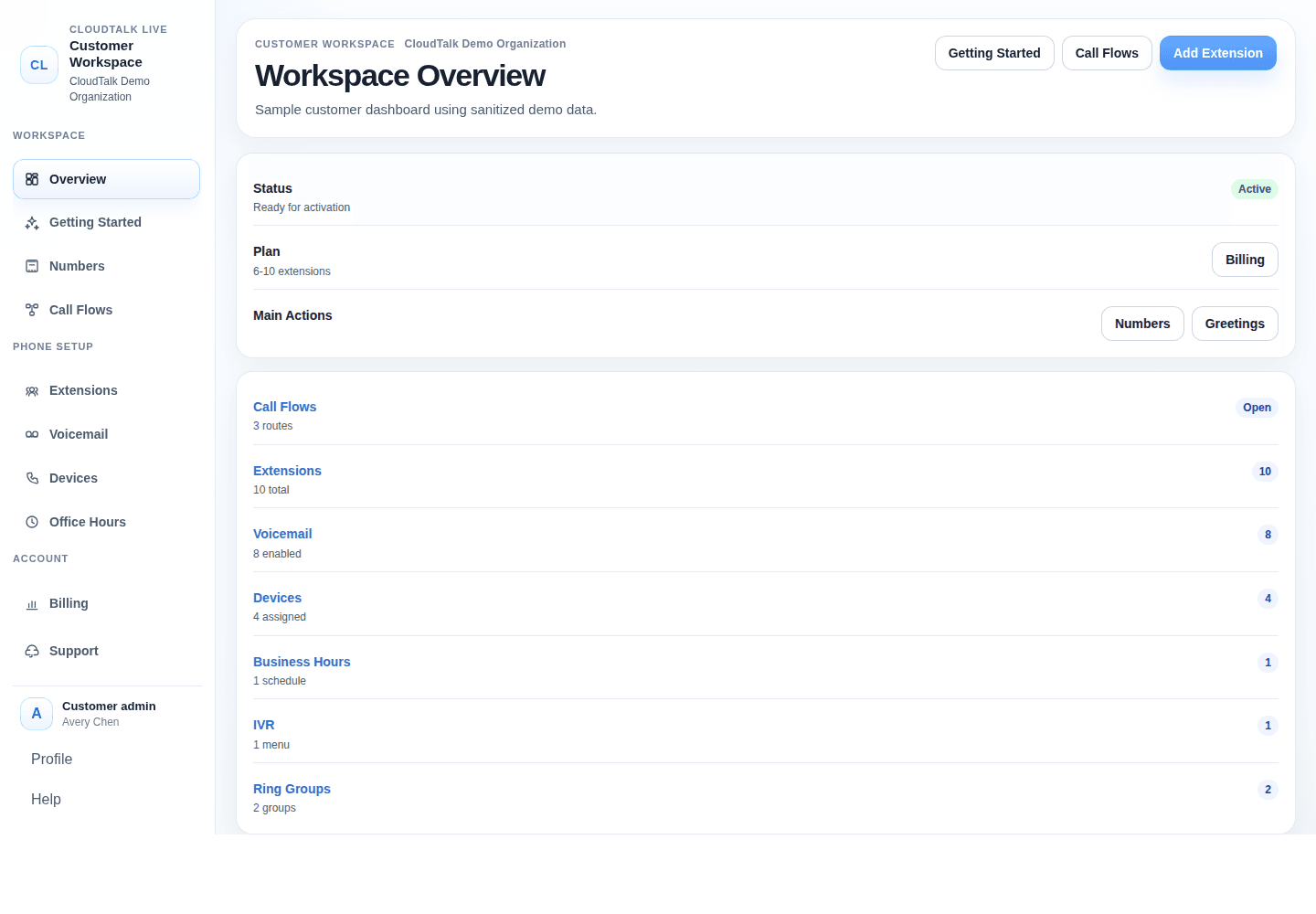
Dashboard screenshots show the everyday phone tasks that stay visible after launch.
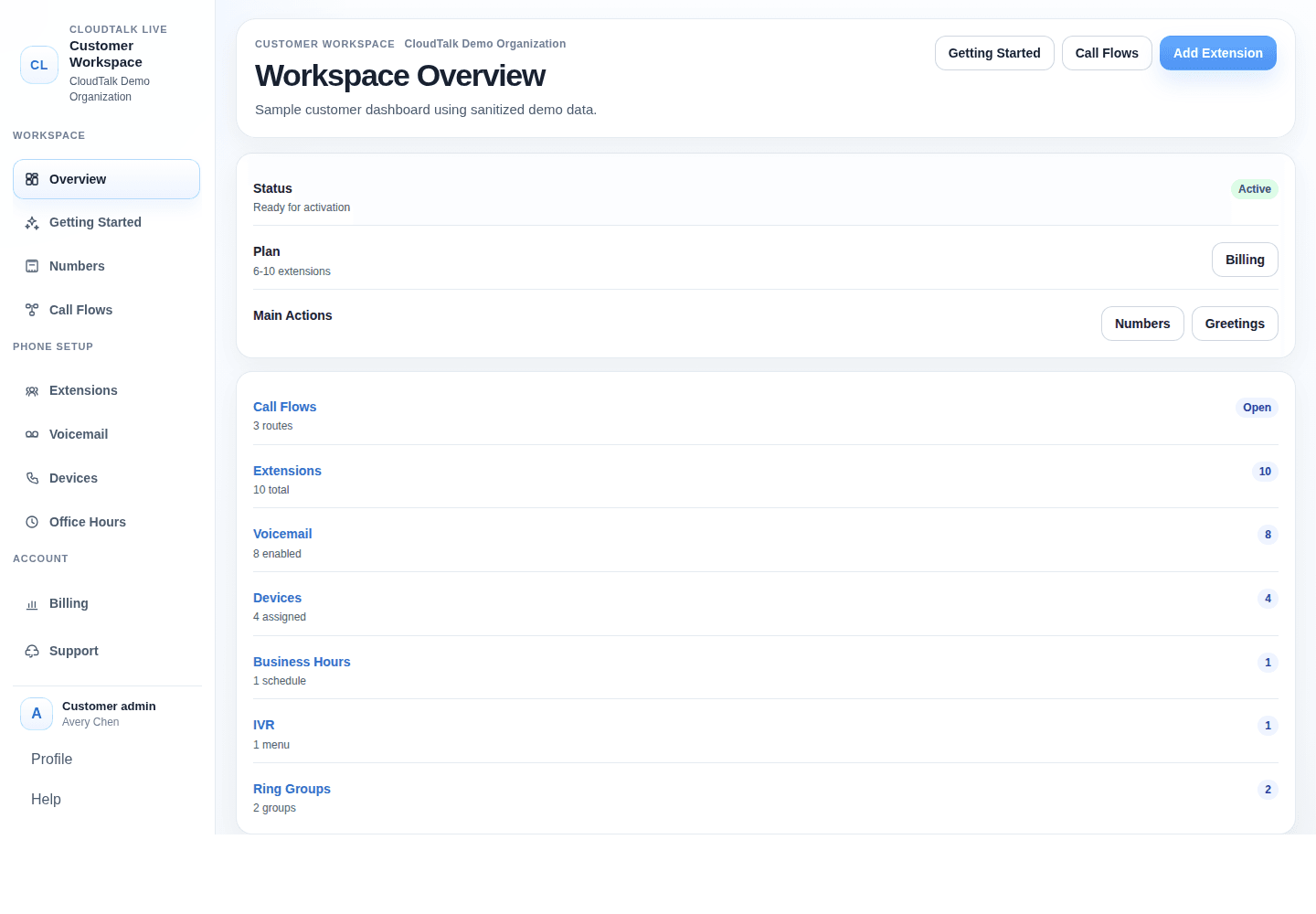
See plan status, numbers, routing, voicemail, devices, office hours, menus, billing, and activation in one place.
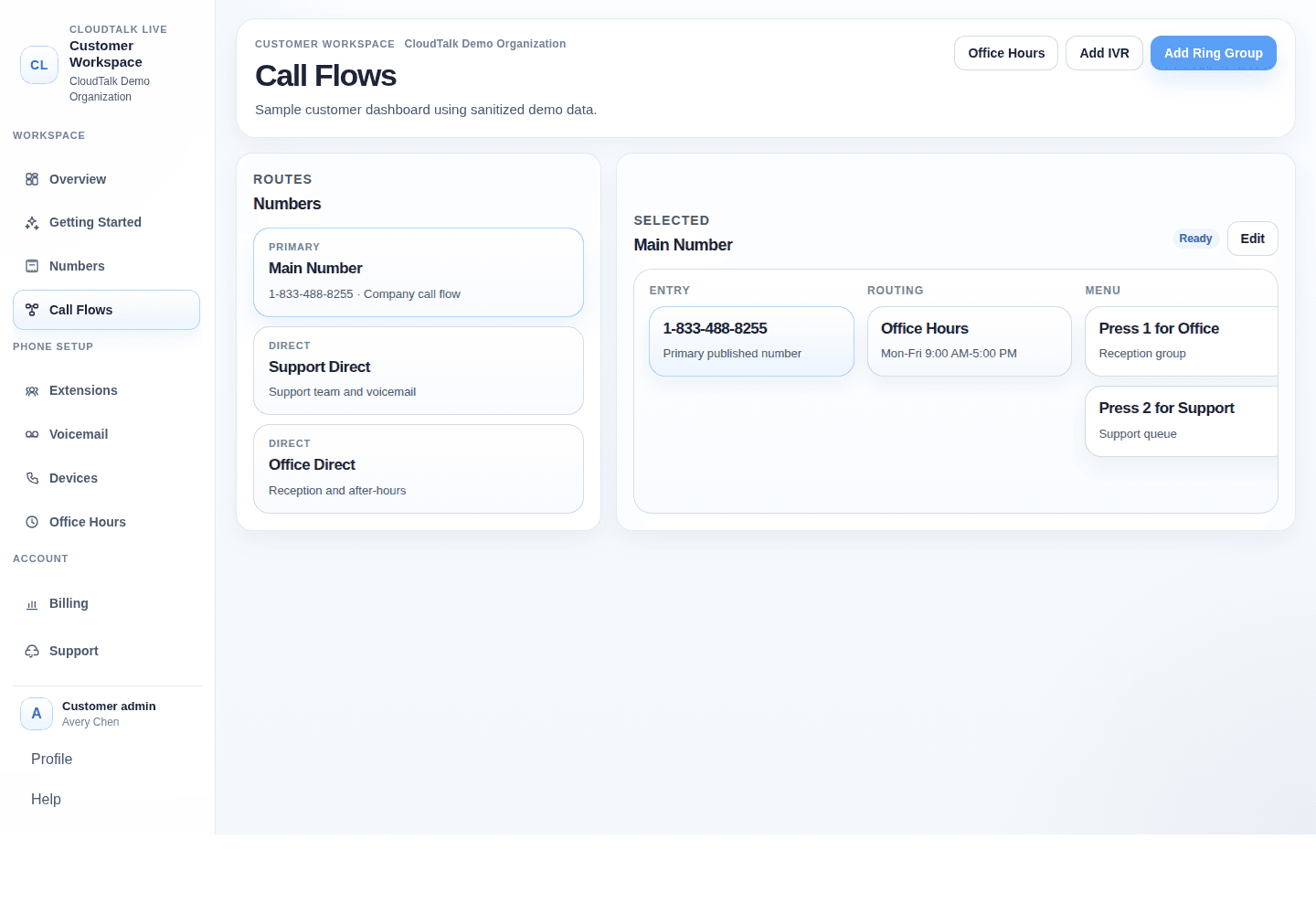
Decide where calls go during open hours, after hours, menus, direct numbers, and groups.
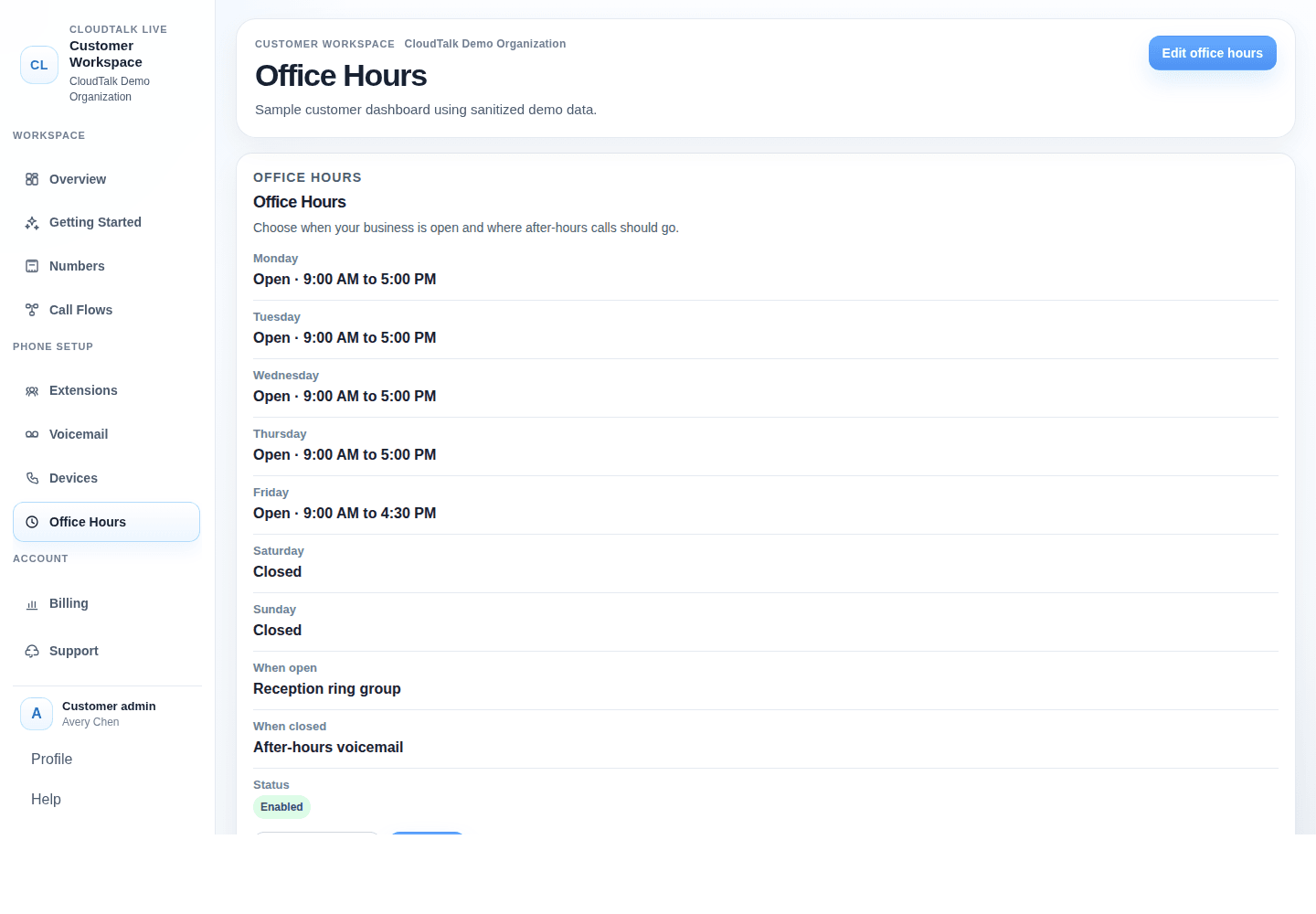
Update regular schedules, closed days, and where callers land when the office is unavailable.
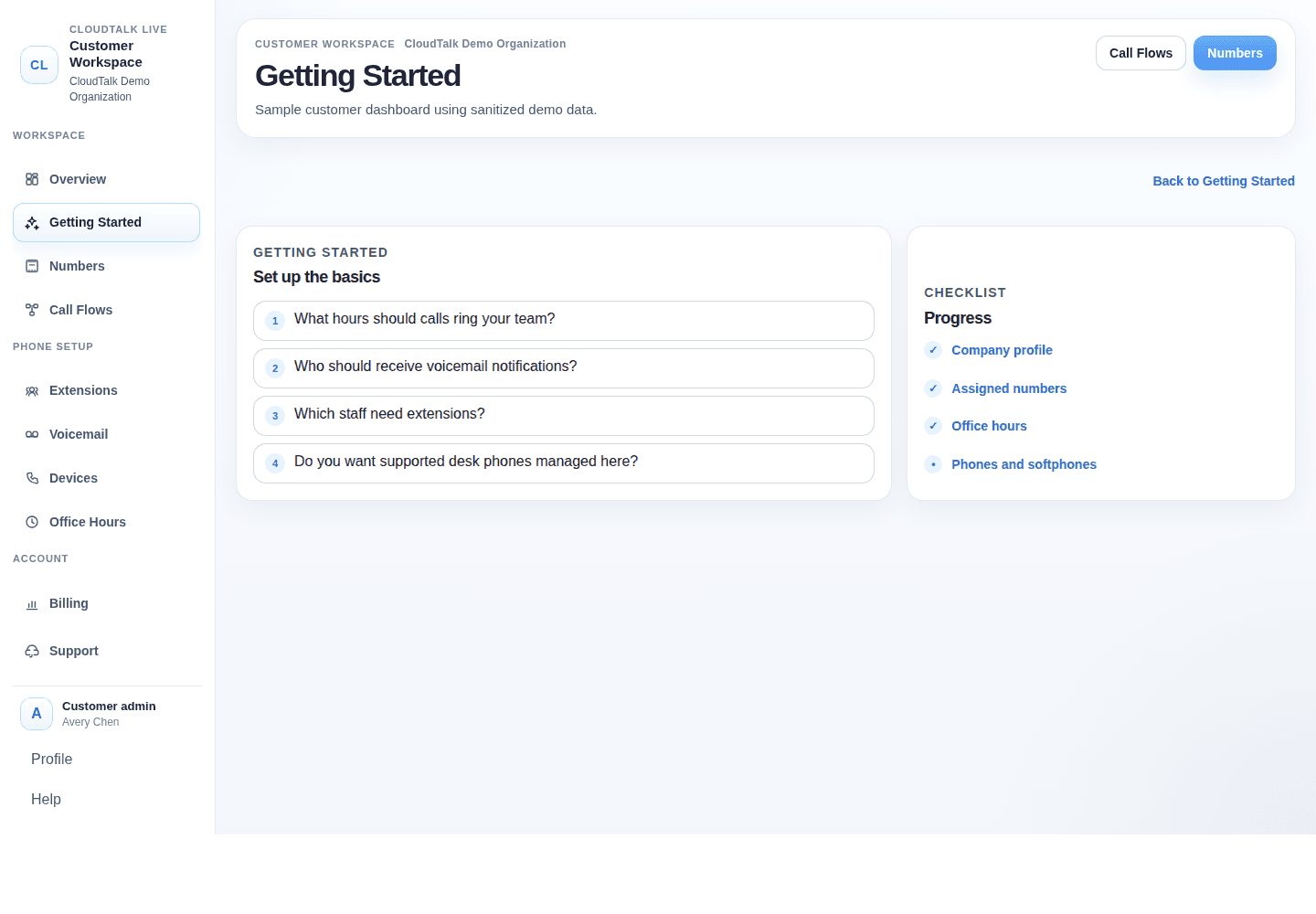
Track what is ready before activation: company details, numbers, phones, softphones, routing, and go-live steps.
CloudTalk is designed for the ongoing changes that happen in real offices and community organizations.
“Fantastic service, with real humans that respond to you and address your issues without waiting on hold for hours.”
Questions get handled by people who know the setup, not by a generic call-centre script.
Your old setup is mapped before porting, so the new caller experience is not a surprise.
Seasonal hours, staff changes, new extensions, and routing updates stay manageable.
CloudTalk is built for long-term relationships, not quick churn.
Cut phone costs while keeping premium features such as phone menus, voicemail to email, desk phones, and softphones.
A local service model for teams that need callers, volunteers, and staff to reach the right person quickly.
Phone routing for parish offices, clergy, ministries, voicemail, and after-hours messages.
School teams value responsive support, reliable live-hour calling, and practical office communication tools.
Dependable communication for councils and volunteer-led teams that need simple administration.
Calls for the parish office, rectory, ministries, clergy, voicemail, and seasonal schedules.
Explore solution →Donor calls, volunteer questions, client support lines, and changing staff roles.
Explore solution →Front office, attendance, principal/admin routing, departments, closures, and after-hours messages.
Explore solution →Main line, front desk, owner access, direct extensions, hours, voicemail, and menus.
Explore solution →Talk through your setup with Mark and see what switching would look like before you commit.